Oracle Database Instance
When you install an Oracle database. You first install the DBMS software (Database Management System). In addition to the DBMS, the database itself is also needed. One database management system can work with several databases simultaneously on one server. Each such database in Oracle terminology is called a database instance. Each running instance actively uses processor, RAM, and disk resources.
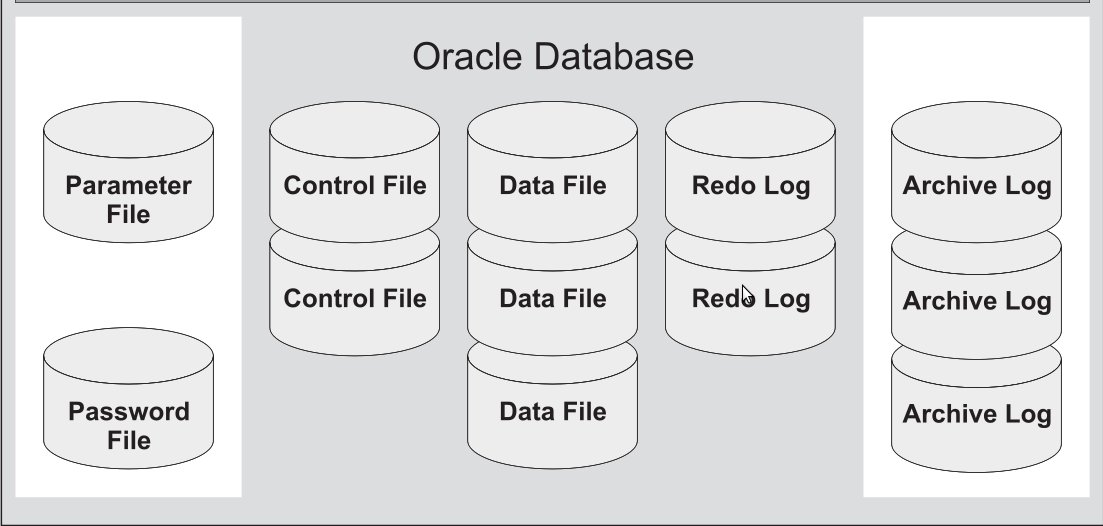
Next, we will gradually analyze what is stored on disks (main files), which processes are responsible for what, and what is actually stored in RAM.
Oracle Database = Oracle DataBase Software + Oracle DataBase Instance (s)
To find out the current state of the database instance, you can perform the following procedure:
-
make sure you are connecting to the database with the correct ORACLE_SID parameter.
You can change the SID with the export command$ export ORACLE_SID=ora112
$ echo $ORACLE_SID
ora112
$ sqlplus / as sysdba
SQL> select status from v$instance;
STATUS
------------
OPEN
In this case, everything is fine.