Preparing Automatic Database Diagnostic Monitor (ADDM) report - Windows - Oracle 10.2
Automatic Database Diagnostic Monitor (ADDM) - Automatic Database Diagnostic Monitor
Done in 2010
The Automatic Database Diagnostics Monitor (ADDM) tool in Oracle Database 10g detects a problem before it strikes and reports possible ways to resolve it.
ADDM can be launched through EM or by the method described below:
1. Copy files
addmrpt.sql
addmrpti.sql
awrinpnm.sql
awrinput.sql
from the server directory C:\oracle\product\10.2.0\db_1\RDBMS\ADMIN to the local client disk (e.g., to directory C:\ADDM)
2. Create a file named connections.sql
conn system/master@10.32.11.95:1521/test;

@addmrpt.sql
3. Create a file named Run.bat
chcp 1251

sqlplus /nolog @connections.sql
exit;
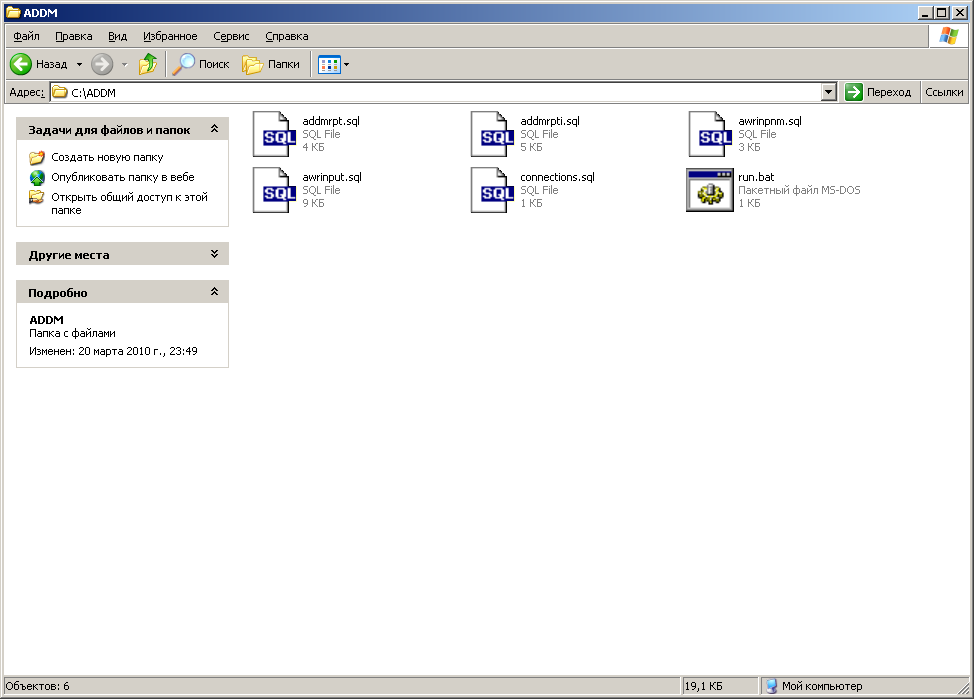
4. Run run.bat
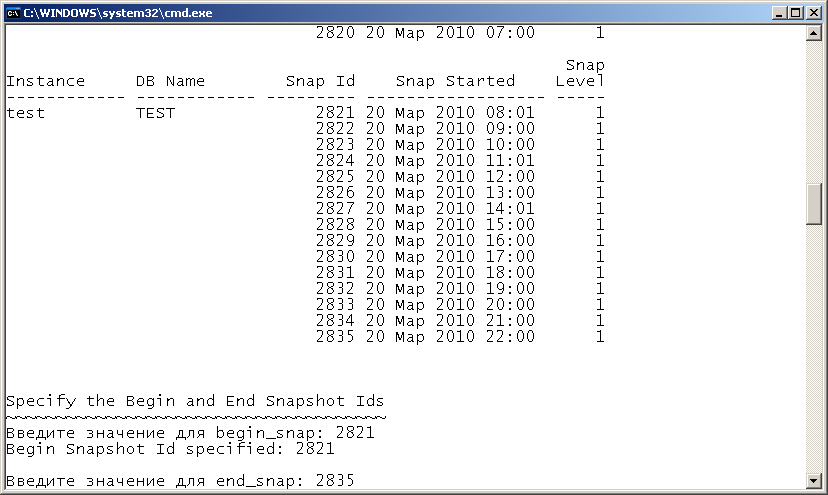
Get the result.
DETAILED ADDM REPORT FOR TASK 'TASK_5154' WITH ID 5154
--------------------------------------------------------

Analysis Period: 20-MAR-2010 from 08:01:06 to 22:00:07
Database ID/Instance: 1998456309/1
Database/Instance Names: TEST/test
Host Name: 4TEST
Database Version: 10.2.0.1.0
Snapshot Range: from 2821 to 2835
Database Time: 637 seconds
Average Database Load: 0 active sessions

~~~~~~~~~~~~~~~~~~~~~~~~~~~~~~~~~~~~~~~~~~~~~~~~~~ ~~~~~~~~~~~~~~~~~~~~~~~~~~~~


FINDING 1: 100% impact (637 seconds)
------------------------------------
The host operating system has detected intensive virtual memory swapping.

RECOMMENDATION 1: Host Configuration, 100% benefit (637 seconds)
ACTION: The host operating system is experiencing intensive swapping,
but no specific main source has been identified. Examine the
processes running on the host that do not belong to this
instance and consume a significant amount of virtual
memory. It is also recommended to increase the amount of physical memory on the host.
It wants more RAM!!!