[Oracle RAC 12.1 Installation on Oracle Linux 6.7 (ISCSI + ASM)]: Checking Display Manager operation on the GUI computer
LINUX (Ubuntu)
Preparation and verification
192.168.1.5 - ip address of the computer from which the installation process is controlled.
192.168.1.11 - ip address of the server
On the client:
$ sudo apt-get install -y gdm
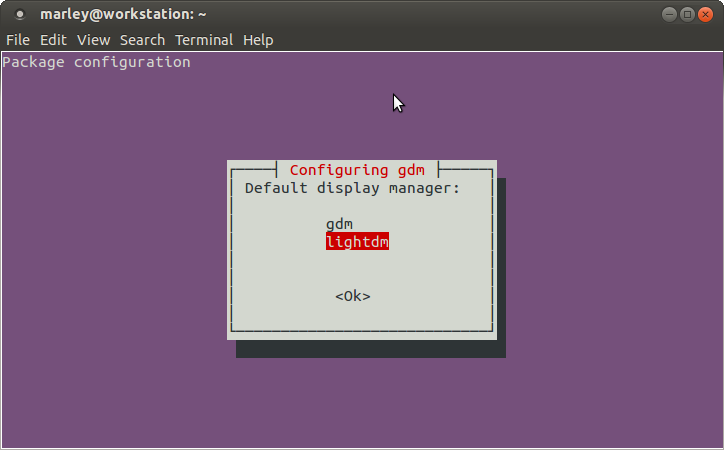
If gdm is selected
# vi /etc/gdm/custom.conf
###########################
[xdmcp]

[chooser]

[security]
DisallowTCP=false

[debug]
###########################
If lightgdm is selected
# vi /etc/lightdm/lightdm.conf
###########################

[SeatDefaults]
user-session=ubuntu
greeter-session=unity-greeter
xserver-allow-tcp=true

###########################
# reboot
Verification commands
$ sudo apt-get install -y nmap nc
$ netstat -an | grep -F 6000
tcp        0      0 0.0.0.0:6000            0.0.0.0:*               LISTEN
tcp6       0      0 :::6000                 :::*                    LISTEN
# nmap -p 6000 192.168.1.5
Starting Nmap 5.21 ( http://nmap.org ) at 2013-08-18 04:13 MSK
Nmap scan report for 192.168.1.5
Host is up (0.000044s latency).
PORT     STATE SERVICE
6000/tcp open  X11
$ nc -vv 192.168.1.5 6000
Connection to 192.168.1.200 6000 port [tcp/x11] succeeded!=
$ xhost +192.168.1.10
Windows
Install XMing and additional fonts. :
http://sourceforge.net/projects/xming/
http://sourceforge.net/projects/xming/files/Xming-fonts/
Reboot. If you don’t reboot, during the installation of RAC version 10, problems occurred (the button was not displayed on the last installation step).
Next, access rules need to be configured.
In the simplest case, right-click on the xming shortcut. Go to properties and add -ac to the target (i.e., no access control)
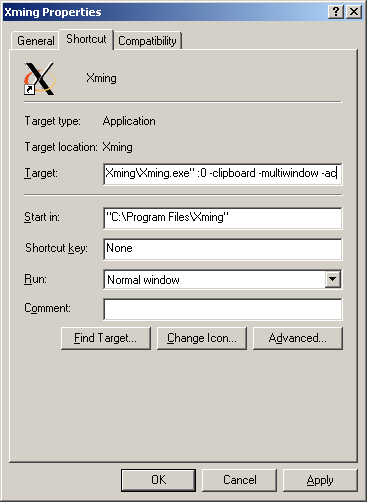
On the server (on one of the nodes):
You can check the operation by installing xterm or xclock
– if not installed earlier, install the xdpyinfo package. It is needed for displaying windows on the client machine.
# yum install -y xdpyinfo
# yum install -y xclock
$ export DISPLAY=192.168.1.5:0.0
$ xclock
– you can even just run the command:
$ xclock -display 192.168.1.5:0
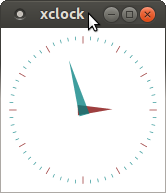
All forms used during installation are displayed in exactly the same way.